 seedlookout
A Swamp Camp Map leads to an abandoned camp in a Swamp biome. A Pale Garden Camp Map leads to a camp in a Pale Garden. Move your player marker into the area shown on the map, then head for the camp symbol.
Camps arrived in Java 26.3 and Bedrock 26.50. The navigation steps work in both editions; the chest details and example seeds below use Java 26.3.
How to follow a Swamp Camp Map
- Hold the map and find your player marker. The camp symbol marks the destination.
- Move toward the mapped area. If your marker sits at the edge, use the table below.
- Check the map as you travel. When your marker enters the pictured area, steer it toward the camp symbol.
- Look for the tent on the surface. Search beneath trees and around nearby slopes if it is hard to spot.
Maps stay north-up: top is north, right is east, bottom is south, and left is west. Turning your camera changes your marker’s facing direction.
| Your marker is on the… | Travel… | Coordinate change |
|---|---|---|
| Left edge | East | Increase X |
| Right edge | West | Decrease X |
| Top edge | South | Increase Z |
| Bottom edge | North | Decrease Z |
At a corner, combine the two directions. From the top-left corner, travel southeast: increase both X and Z. You can tackle one direction at a time when mountains or water make the diagonal route awkward.
In Java, use F3 to check your direction. In Bedrock, use Show Coordinates and compare X and Z before and after a short walk. Bring food, a boat for water crossings, and a record of your home coordinates.
An ordinary compass points to world spawn. Use the map marker or coordinate changes to choose your camp route.
Image placeholder: the same camp map held outside its area and inside it, with the player marker and destination symbol visible.
Where to get a camp map
Find an abandoned camp and check its common chests. In Java 26.3, those chests can contain camp maps; the camp’s barrels contain supplies instead.
For a Swamp Camp Map, check camp chests located outside a Swamp biome. For a Pale Garden Camp Map, check chests outside a Pale Garden. The destination biome matching the chest’s location is excluded from its map choices.
A particular map is not guaranteed, and a failed destination search can leave the chest without a camp map. Check the item’s full name:
| Item name | Destination |
|---|---|
| Swamp Camp Map | A swamp abandoned camp |
| Pale Garden Camp Map | A pale garden abandoned camp |
| Swamp Hut Map | A swamp hut |
Finding your first camp
Search eligible Overworld biomes such as Forest, Taiga, Meadow, Cherry Grove, Swamp or Pale Garden. Look for the tent on the surface, including beneath trees and around slopes.
Try the abandoned camp reference or one of the checked locations below. The seed map can help you plan a biome search; its markers are model predictions, so check the location in your game.
What to check when you reach a camp
In Java 26.3, the containers have different roles:
| Container | Possible loot |
|---|---|
| Barrel | Bread, coal, straw beds and cushions. No explorer maps. |
| Common chest | Camp maps, supplies and equipment. |
| Secret chest | Maps to other structures, plus possible diamonds or potions. |
Open the visible containers and check around the tent. Loot varies, and some camp layouts have no secret chest.
Secret-chest maps can lead to an Ancient City, Trial Chambers, Mineshaft, Desert Pyramid, Jungle Pyramid, Warm Ocean Ruins or Woodland Mansion. Read the new map’s full name before leaving; the next trip may take you underground or out onto the water.
Restock food and record the camp’s coordinates before following another map. The camp locations below are checked in game; their chest contents have not been established by those location checks.
Find a camp with commands
With commands enabled or the required server permission, run these in the Overworld in Java 26.3:
For a swamp camp:
/locate structure minecraft:abandoned_camp_swampFor a Pale Garden camp:
/locate structure minecraft:abandoned_camp_pale_gardenFor any camp variant:
/locate structure #minecraft:abandoned_campThese commands search from your current position. They can return a different camp from the one your map marks, so follow the map if you want its particular destination.
In Bedrock, use your installed version’s command suggestions for the camp identifier. Enabling cheats disables achievements in that Bedrock world.
Two camps you can visit
These camp locations were checked in game in Java 26.3. Use the exact seed in a fresh Java 26.3 world. The checks establish the camp locations, without promising map drops or particular chest loot.
| Camp | Seed | Coordinates |
|---|---|---|
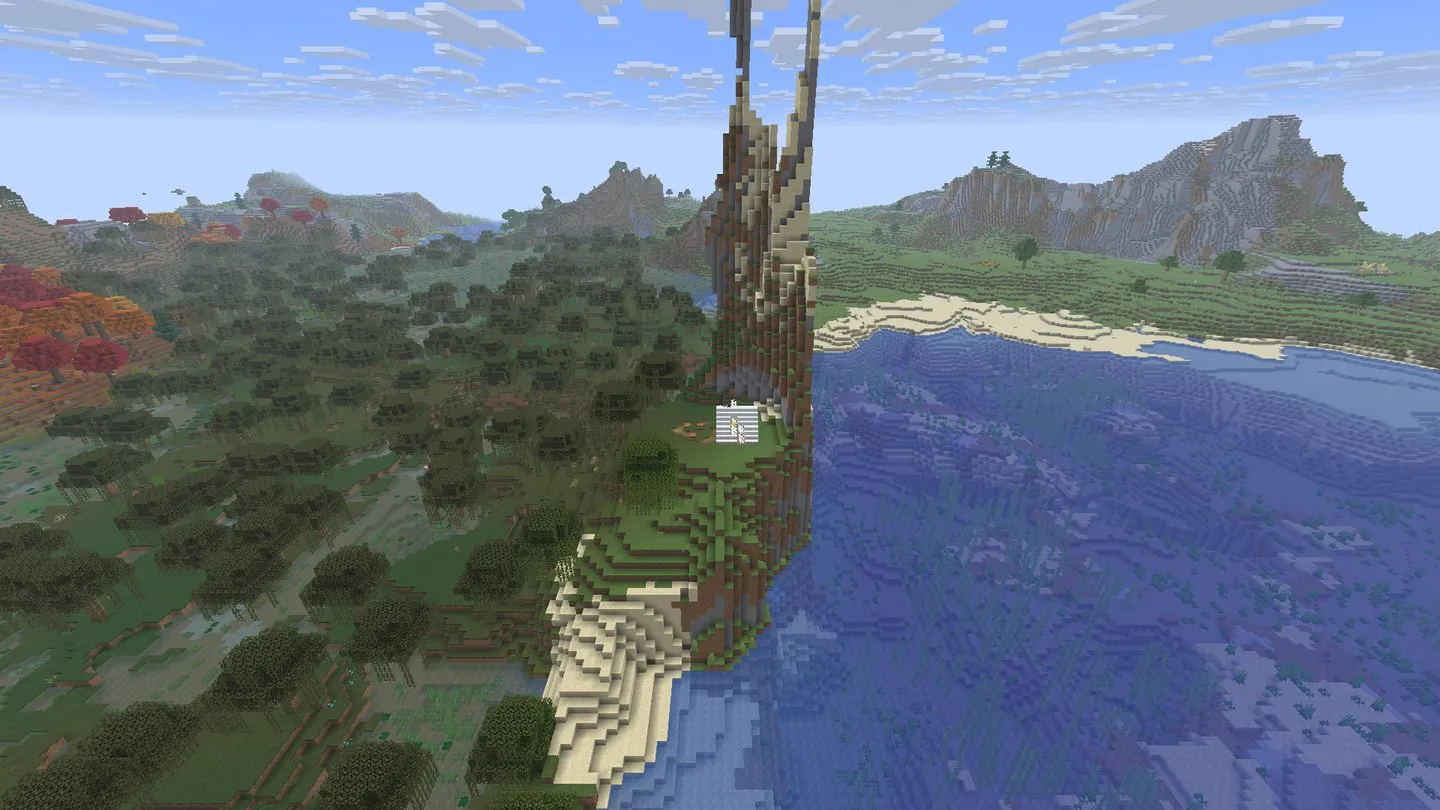
| Swamp camp beneath a stone spire | 18649700352874035 |
X 160, Y 81, Z 256 |
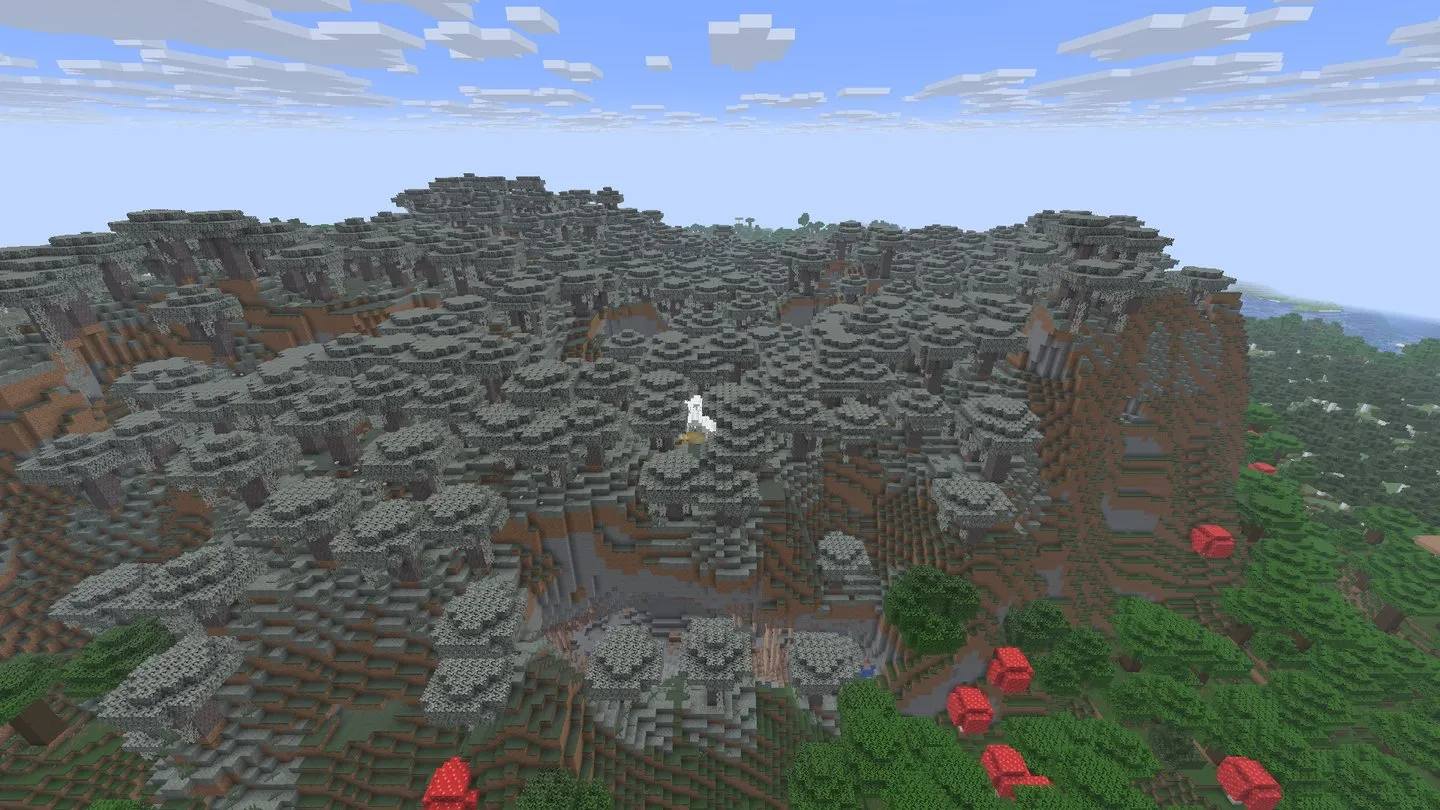
| Pale garden camp on a plateau | 7608428869712543 |
X 16, Y 114, Z 0 |
If you get stuck
The marker stays at the edge
You are still outside the pictured area. Check your X and Z changes against the table and keep moving toward the map. An edge marker alone does not tell you exactly how many blocks remain.
I reached the symbol but cannot see a camp
Check that the item’s name says Camp, then look around the nearby surface, tree canopy and ledges. Match your game’s edition and generation version with any seed guide you use. In an older world, explore chunks first generated after the camp update; see versions and accuracy.
Is a Pale Garden camp safe at night?
Plan to arrive in daylight. Natural Creakings can appear at night and stop moving while watched. A camp location does not guarantee a nearby creaking heart. A straw bed can skip the night, but is consumed after use and does not set your respawn point.
Can I copy the map or zoom it out?
In Java 26.3, you can copy explorer maps in a crafting table. A copy keeps the same destination. Explorer maps cannot be zoomed out with paper in a crafting table or cartography table.