seedlookout
 Graines
 Carte des graines
 Recherche de graines
 Structures
 Outils
 Articles
 À propos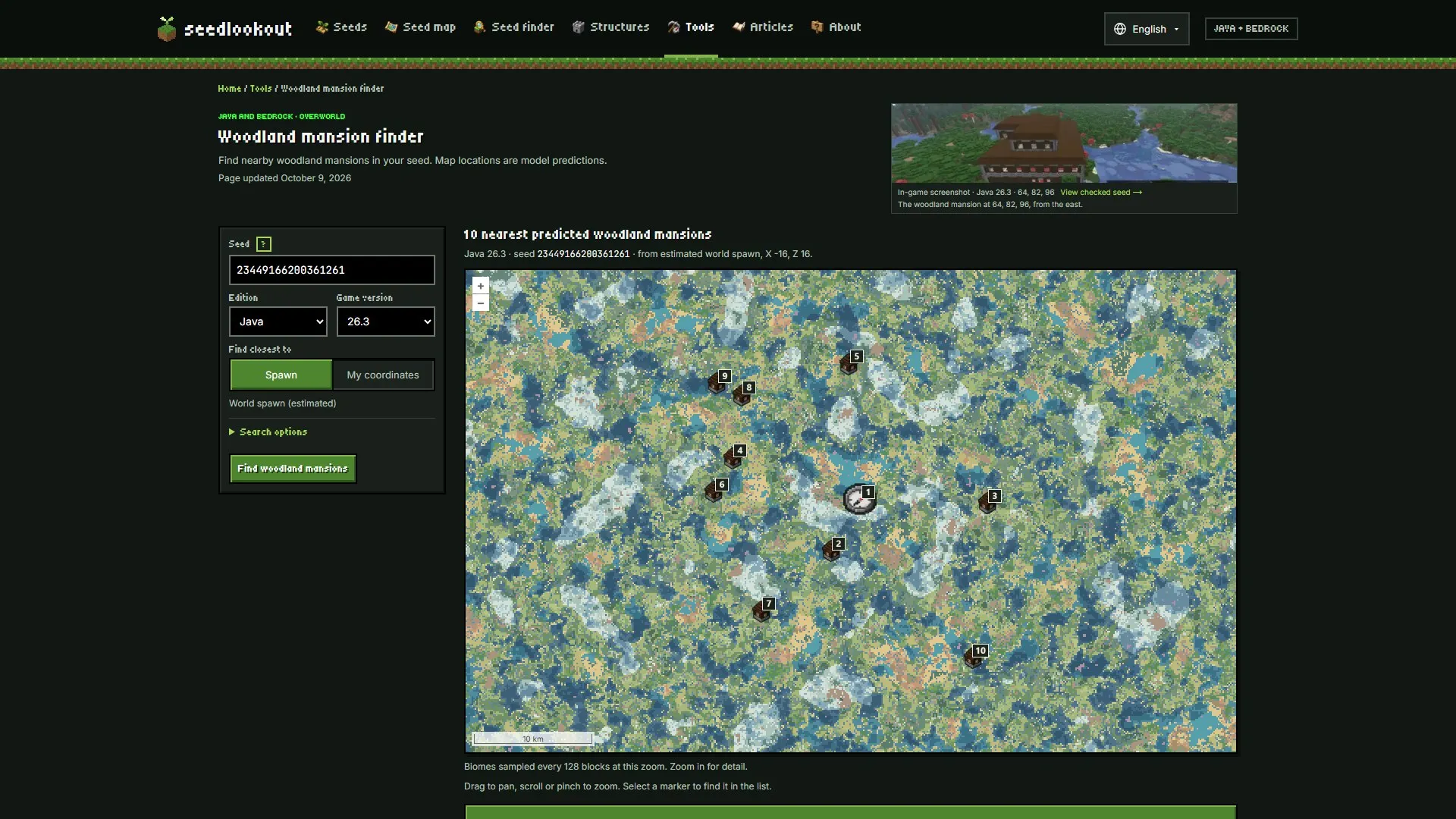
SeedCard Finder is now version 1.0.1. The change behind the new number is a fix for Bedrock bastion remnants: our seed map and finders were checking the biome at the wrong spot, so near basalt deltas they could list a bastion the game doesn’t generate or miss one it does. We checked the Bedrock bastion results against Minecraft Bedrock 1.26.52 on six seeds. The fixed model finds all 688 bastions the game generates there and lists 3 extras, where the old one found 672 and listed 17 extras. Java was never affected.
Since our SeedCard Finder 1.0.0 article on October 2, the structure finders have changed too. Every structure finder page now shows reviewed comparisons and, where we have them, checked seeds alongside the tool. The pages were reworked for phones, there is a new pale garden camp finder, and the finders are available in six more languages. Plans for what comes next are at the end.
Bedrock bastions now use Bedrock’s biome check
Bastion remnants can’t generate in basalt deltas. To decide whether a candidate passes that rule, our Bedrock model checked the biome at the centre of the bastion’s rotated start piece. That is the spot Java checks, and Bedrock checks a different one. Near the edge of a basalt delta the two spots can fall in different biomes, which produced both kinds of mistake.
Bedrock now checks the biome at the corner of the bastion’s chunk. Bastion positions didn’t change; the fix only changes which candidates are listed. Java results, other structures and the rest of the map are unchanged. Because the Bedrock model changed, the seed finder shows Finder version 1.0.1.
We checked every possible bastion placement in the Bedrock 26.50 model around the origin on six seeds: 17108149081942125, 12345, -4172144997902289642, 42, -1234567890123 and 777777777. Across 833 candidate positions, Minecraft Bedrock 1.26.52 generates 688 bastions.
| Bastions found (of 688) | Listed but not generated | Wrong in total (of 833) | |
|---|---|---|---|
| Before the fix | 672 | 17 | 33 (about 4%) |
| After the fix | 688 | 3 | 3 |
All 3 remaining extras sit right on a basalt-delta edge. We chose the new rule before looking at three of the seeds (42, -1234567890123 and 777777777). On those three, the fixed model finds 350 of 350 bastions with 1 extra; the old one found 344 and listed 8 extras. At eight of the disputed and control spots, we also confirmed in the game that the bastion was really there or really absent.
One search, before and after
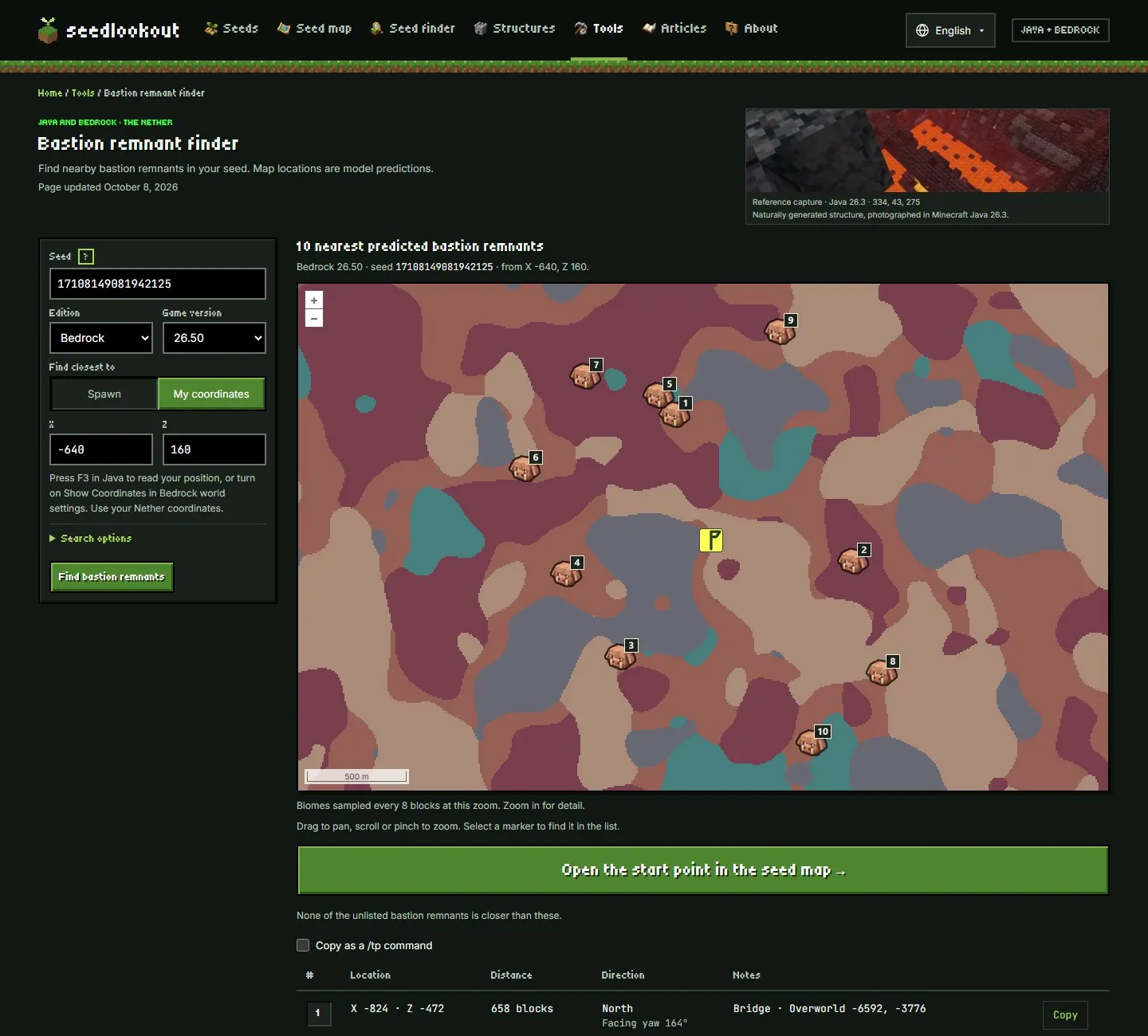
Here is the bastion remnant finder for seed 17108149081942125, Bedrock 26.50, searching from Nether coordinates X, Z: -640, 160. Every marker is a model prediction. The first picture is the same page running the previous Bedrock model, from SeedCard Finder 1.0.0:
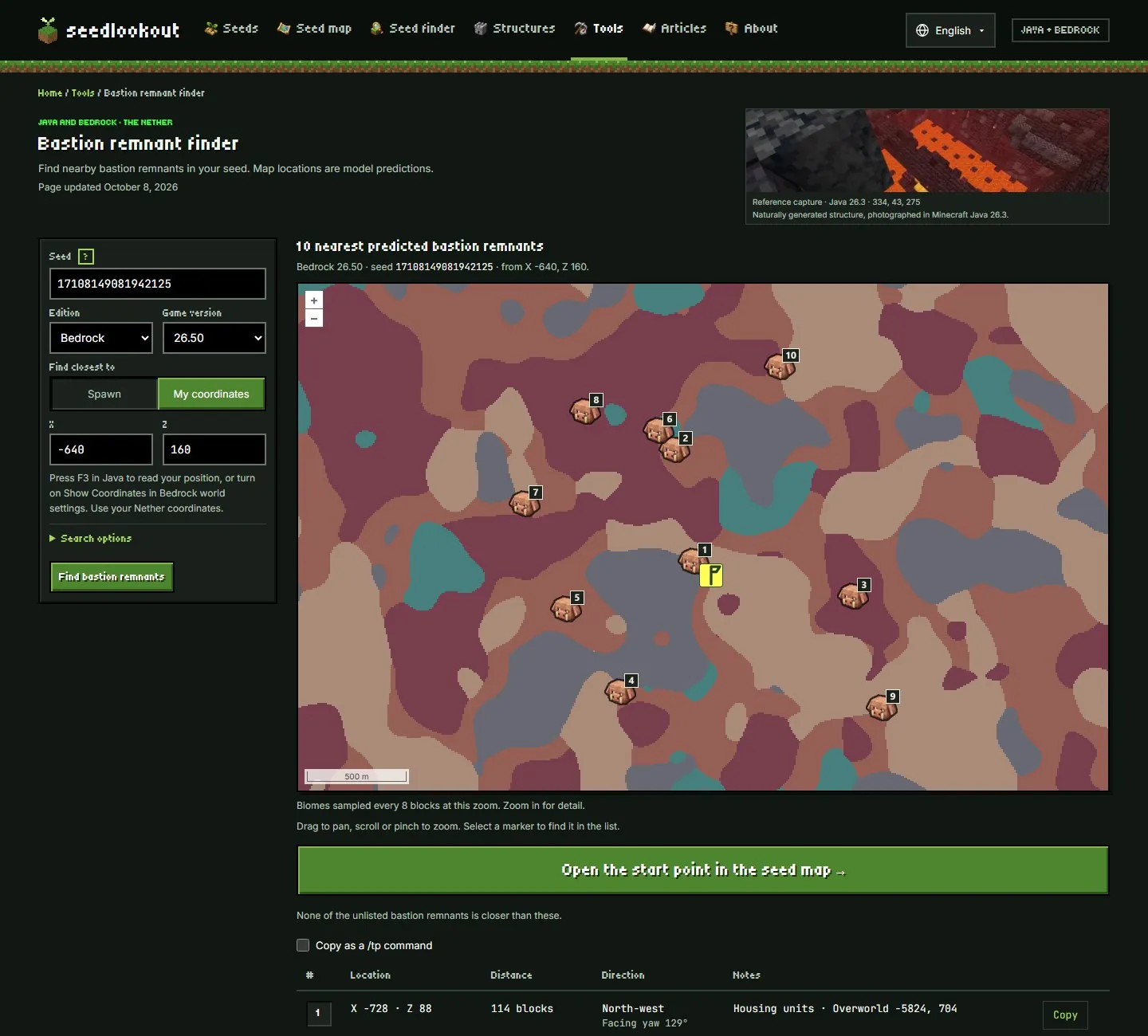
The old model put its nearest bastion at X, Z: -728, 88, 114 blocks away, on the edge of a basalt delta (the grey area on the biome map). In our check against Minecraft Bedrock 1.26.52, the game doesn’t generate a bastion there. The current model drops it, and its nearest prediction is X, Z: -824, -472, 658 blocks away:
For any other seed, bastion results are still model predictions. This check covers Bedrock bastions only, not every Bedrock structure.
Evidence on every structure finder page
Each of the 23 structure finder pages now shows evidence next to the tool. Beside the heading is a photo of the structure: an in-game screenshot from a checked catalogue seed, with a link to that seed’s page, or a labelled reference capture with its own version and coordinates.
Below the results, a Reviewed finder comparisons section gives the reviewed Java 26.3 comparisons for that structure. The woodland mansion finder, for example, shows 3 of 3 reviewed comparisons passed, from a snapshot reviewed on October 2, 2026. The page says what that number is: a small, fixed set of checks on a reviewed model snapshot, not an accuracy rate for every seed, the current finder, Bedrock or other versions.
Under that, a carousel shows up to six checked seeds with that structure, each with its in-game screenshot and checked location. It moves on its own, holds while you point at it, focus it or touch it, and doesn’t scroll on its own if your device asks for reduced motion. A finder with no checked seed photos yet says so, as the bastion finder does.
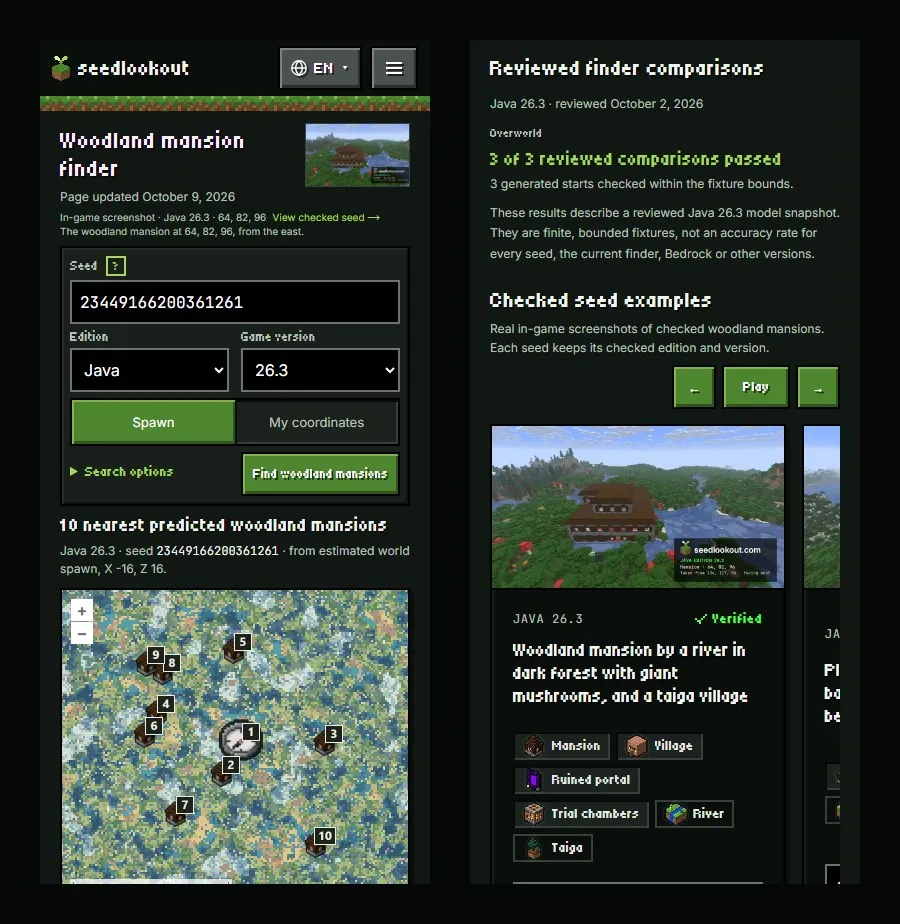
In these captures the mansion finder searches seed 23449166200361261, Java 26.3, from the estimated world spawn at X, Z: -16, 16. The heading photo shows a woodland mansion in this seed that we checked in game at 64, 82, 96 in Java 26.3; the ten listed mansions are model predictions. Catalogue verification covers the listed locations, not every location a finder calculates, and the About page explains what a check covers.
On October 9 we published twenty more checked Java 26.3 seeds, and the carousels picked them up: five of the six seeds in the woodland mansion carousel are among them.
Finders made for phones
Several of these changes were made with phones in mind. On a phone, a structure finder now puts the essential form above the map and folds the extra settings into Search options, so part of the map shows on the first screen. The coordinate list and the longer guidance come after the map. On a desktop the form sits beside the map instead.
Other changes to the structure finders since October 2:
- The start point is a two-button choice in the main form: Spawn (Main island in the End) or My coordinates. The X and Z boxes appear only when you need them, and Nether finders remind you to use Nether coordinates.
- The ? button beside the Seed box explains where to find your seed. In Java you type
/seedin chat, and the steps show in-game Java 26.3 screenshots; in Bedrock you open the world settings. On a phone the help opens under the box. - Each map marker carries its row number from the results list.
- The button that opens a result in the seed map is full width and at least 64 pixels tall, on every structure finder and both ore finders.
- On phones the site header is one row, with a language button and a menu button that lists every navigation link.
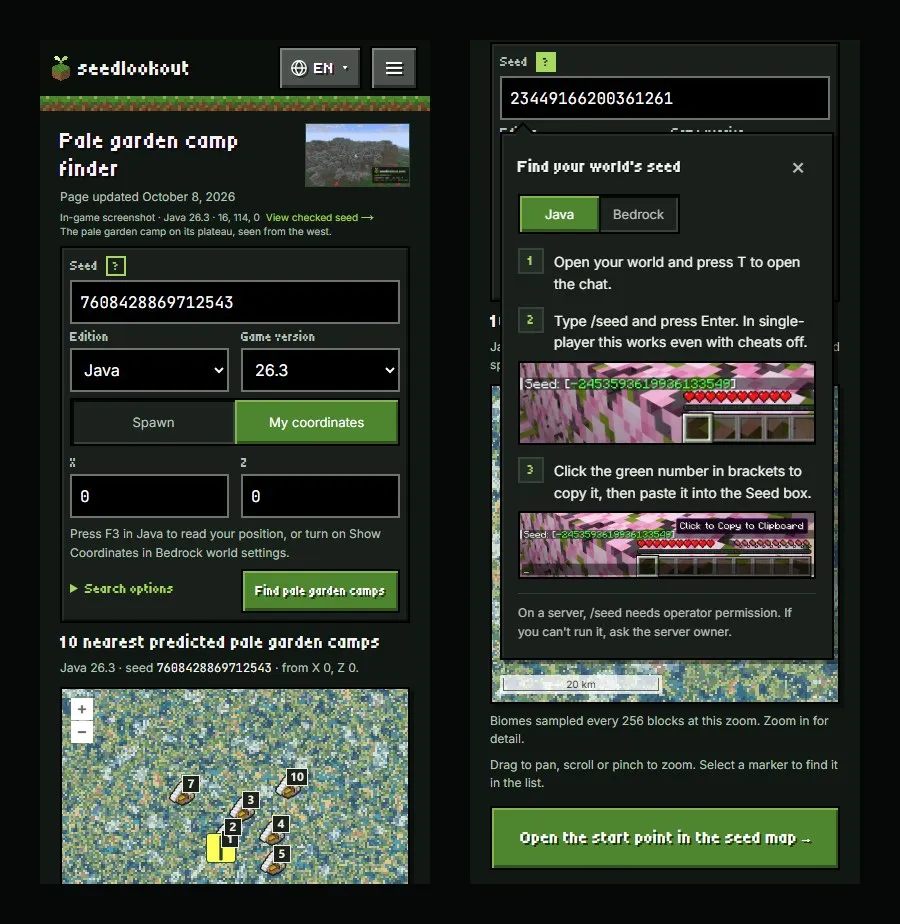
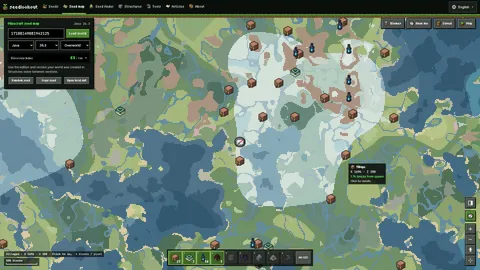
The left capture is the pale garden camp finder for seed 7608428869712543, Java 26.3, from X, Z: 0, 0. Its photo shows a pale garden camp in this seed that we checked in game at 16, 114, 0 in Java 26.3; the listed camps are model predictions.
A finder for pale garden camps
The pale garden camp finder lists the nearest predicted abandoned camps in the Pale Garden biome, for Java 26.3 and Bedrock 26.50. The general abandoned camp finder has the same filter under Search options, and shared links keep it. The filter applies before the nearest camps are picked, so closer camps of other types can’t push the pale garden camps off the list.
The finder doesn’t predict chest loot or where a Camp Map leads; our Swamp Camp Map guide covers how to follow one. Its reviewed comparisons cover camp placement, and the page notes that the pale garden filter itself was not separately measured.
Finders in seven languages
The finders, including SeedCard Finder and every structure finder, are now available in Spanish (/es/), Traditional Chinese for Taiwan (/zh-hant/), Brazilian Portuguese (/pt-br/), German (/de/), French (/fr/) and Japanese (/ja/), as well as English. When we add new English text to a page, a translated edition may show it in English until its translation has been reviewed.
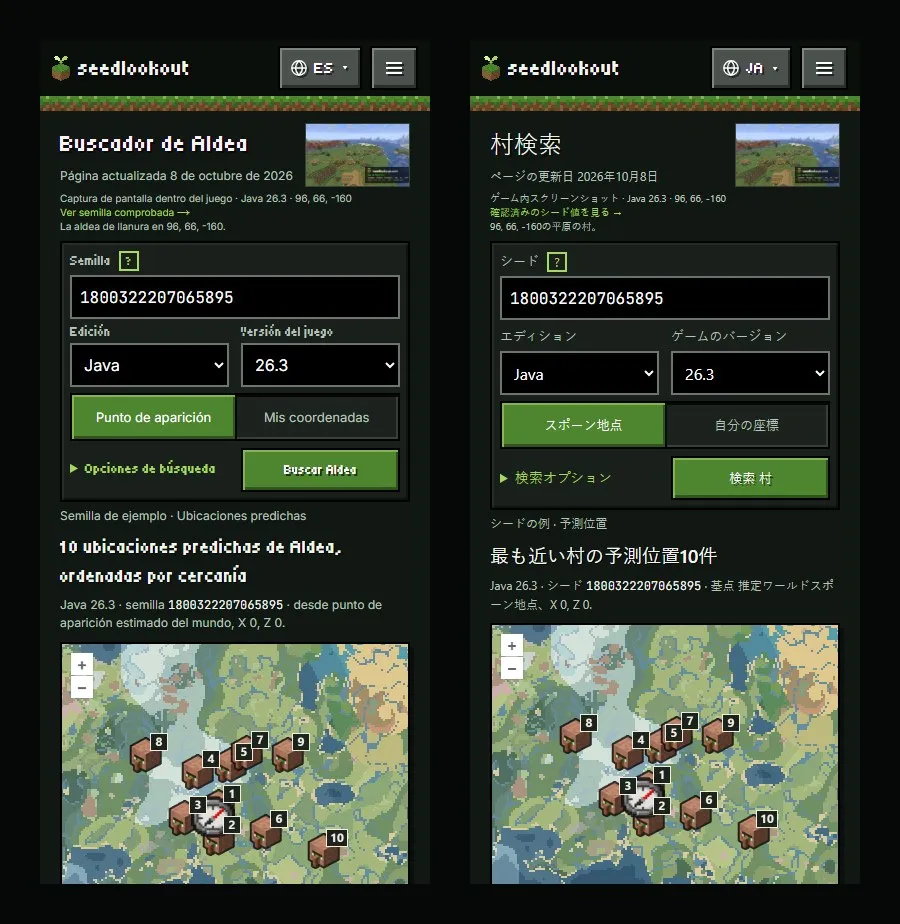
Both captures show the village finder’s example seed 1800322207065895, Java 26.3, from the estimated world spawn: the Spanish page on the left and the Japanese page on the right. The photo shows a plains village in this seed that we checked in game at 96, 66, -160 in Java 26.3; the listed villages are model predictions.
What’s coming next
None of these is available yet:
- Accounts: sign-in and bookmarks are built but switched off. Once we launch them, you’ll be able to sign in and save seed pages and seed map views to your account. We haven’t set a date.
- Easier navigation: we plan to expand the short introductions on the home page, the seed finder and the Tools page so they explain what each tool is for and link to the structure guides and the About page.
- More Bedrock checks: we’re extending the same kind of check we ran for bastions to more Bedrock structures.
- New finders: we plan an ice cave finder for Java 26.4, to launch with that release. We’re also considering finder pages for amethyst geodes, desert wells and End gateways, and extending our finder comparisons to older Java releases.
Until then, open the seed finder to search for a new world (our Nether and End guide shows how to combine dimensions), pick a structure finder for a seed you already play, or explore a seed on the seed map. Every result is a model prediction for the edition and version you choose.