seedlookout
 Seeds
Seeds Seed map
 Seed finder
 Structures
 Tools
Tools Articles
 About
About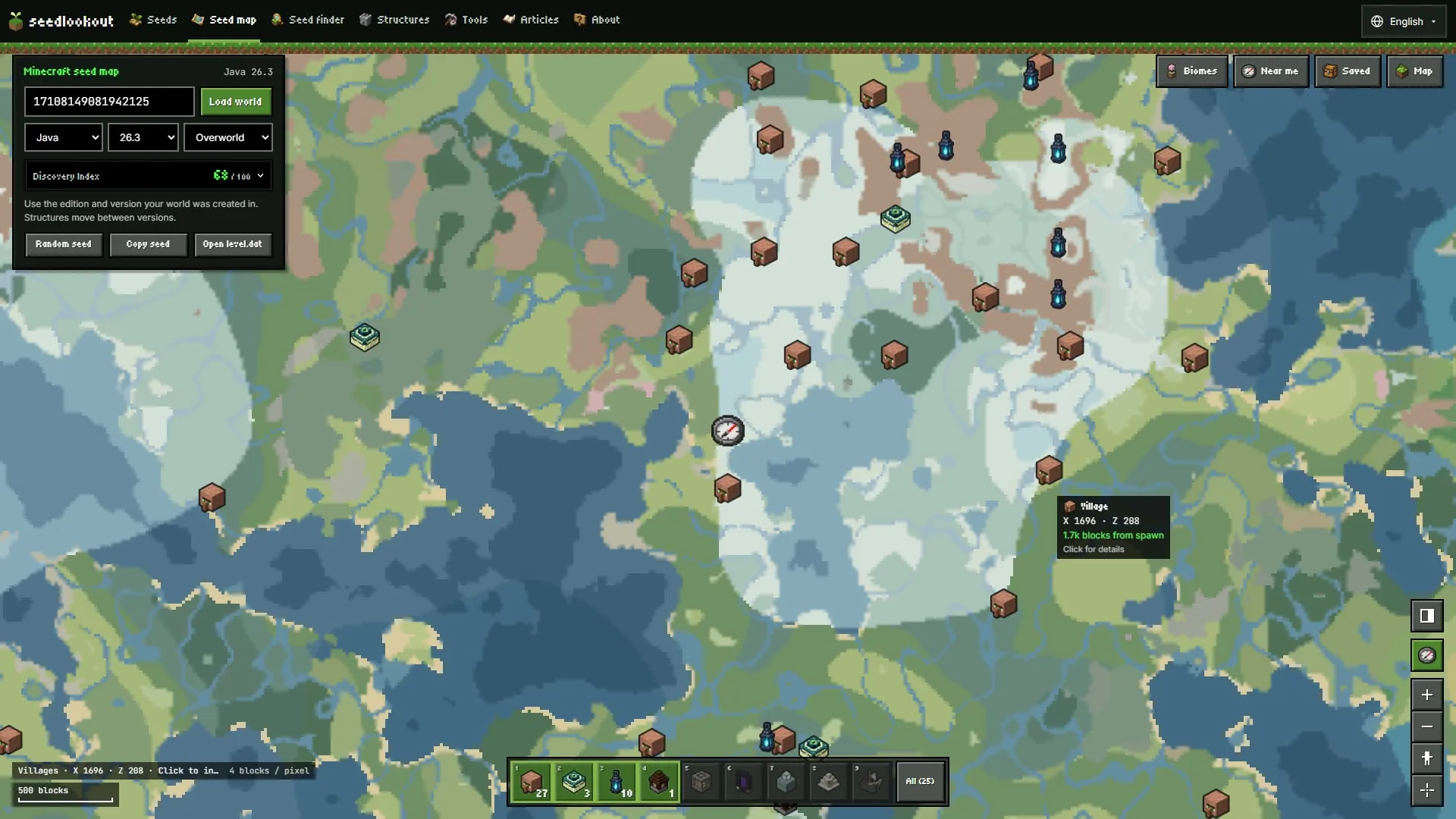
We rebuilt the seed map on October 7, 2026. The map now fills the window, with your world’s details in a card at the top left and a Minecraft-style hotbar of structures along the bottom. It has a phone layout of its own, which we kept refining through October 9. The update also adds a player location you can measure from, markers you can edit, and a corrected rule for Bedrock bastion markers. All of it is live on the site now.
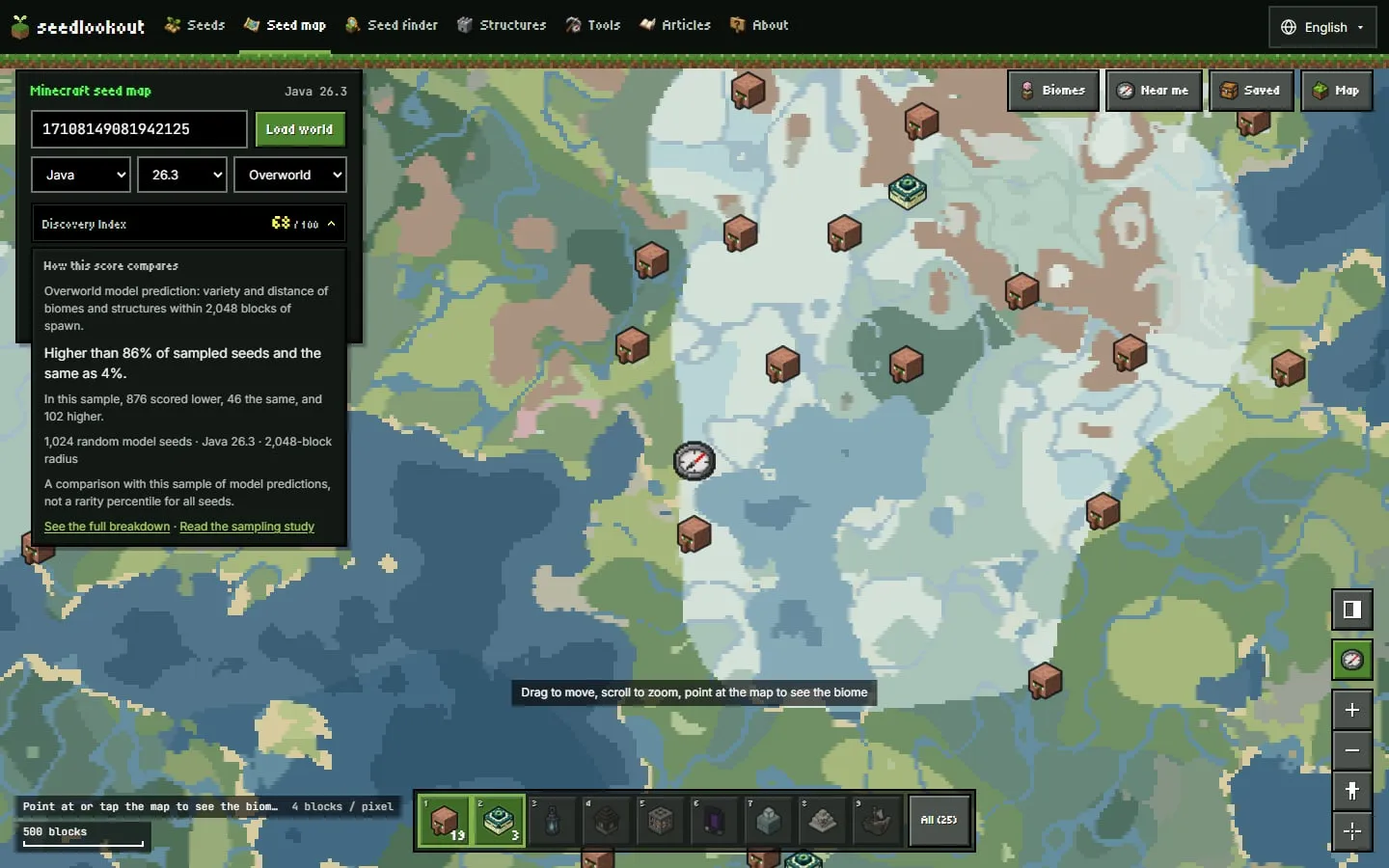
Every picture below is a capture of the live seed map on seed 17108149081942125 in Java 26.3, Overworld. What the map shows is a model prediction from our Java 26.3 generation model, not something we checked in the game. The seed itself is in our catalogue as the dappled lake camp and ice spikes seed, where we checked four listed locations in game in Java 26.3; that check does not cover the villages or other markers shown here.
The map now fills the window
The world card in the top-left corner holds the seed, the Load world button, and the edition, generation version and dimension. It reminds you to pick the edition and version your world was created in, because structures move between versions. Its quick actions are Random seed (or press R), Copy seed and Open level.dat.
Along the bottom, the hotbar has one slot per main structure. Press 1 to 9 while the map has focus, or click a slot, to show or hide that layer. Each lit slot shows how many of that structure are on the current map. The All slot at the end opens the full Structures panel.
The tool buttons at the top right open the Biomes, Near me, Saved and Map panels beside the map. The panel starts closed, so the map gets the whole window until you need a tool. Point at the map and a tooltip gives the biome or structure, its X and Z, and how far it is from spawn.
Built for phones
On a phone, the world card folds into one line: edition, version, dimension, the seed and its Discovery Index, with a Change button to open the full card. It folds again after you load a world or pick a random seed. The tool buttons run down the right edge of the map. The hotbar scrolls sideways with All pinned at the end, and an arrow beside All shows when more slots are off screen. A tool’s panel opens as a bottom sheet.
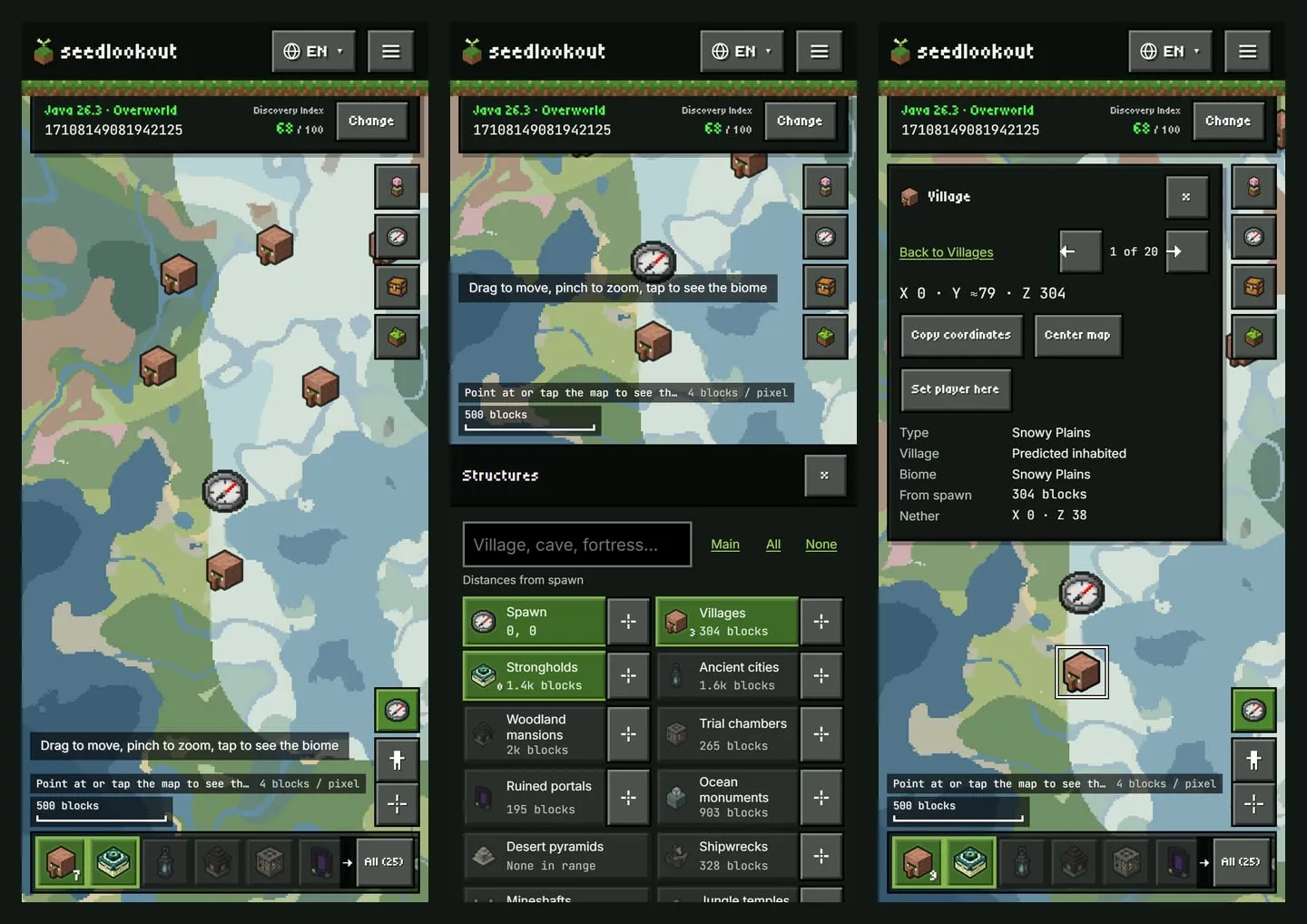
One finger pans and two fingers pinch to zoom, and neither scrolls or zooms the page around the map. Phones have no zoom buttons, and the map stays north up: rotation is off on phones, so a shared link with a rotation still opens north up. The map controls in the corner are Back to spawn, Set player location and Go to coordinates.
The map’s controls on phones are at least 44 pixels each way, stay on screen and don’t overlap each other. That includes the small × that dismisses a notice, which we enlarged on October 9. Text fields on the map use 16-pixel text, so Safari doesn’t zoom the page when you tap one.
Hold the phone on its side and the layout changes. The folded card sits beside one row of tool buttons, the map controls move to the bottom-right corner, and panels open beside the map instead of covering it.
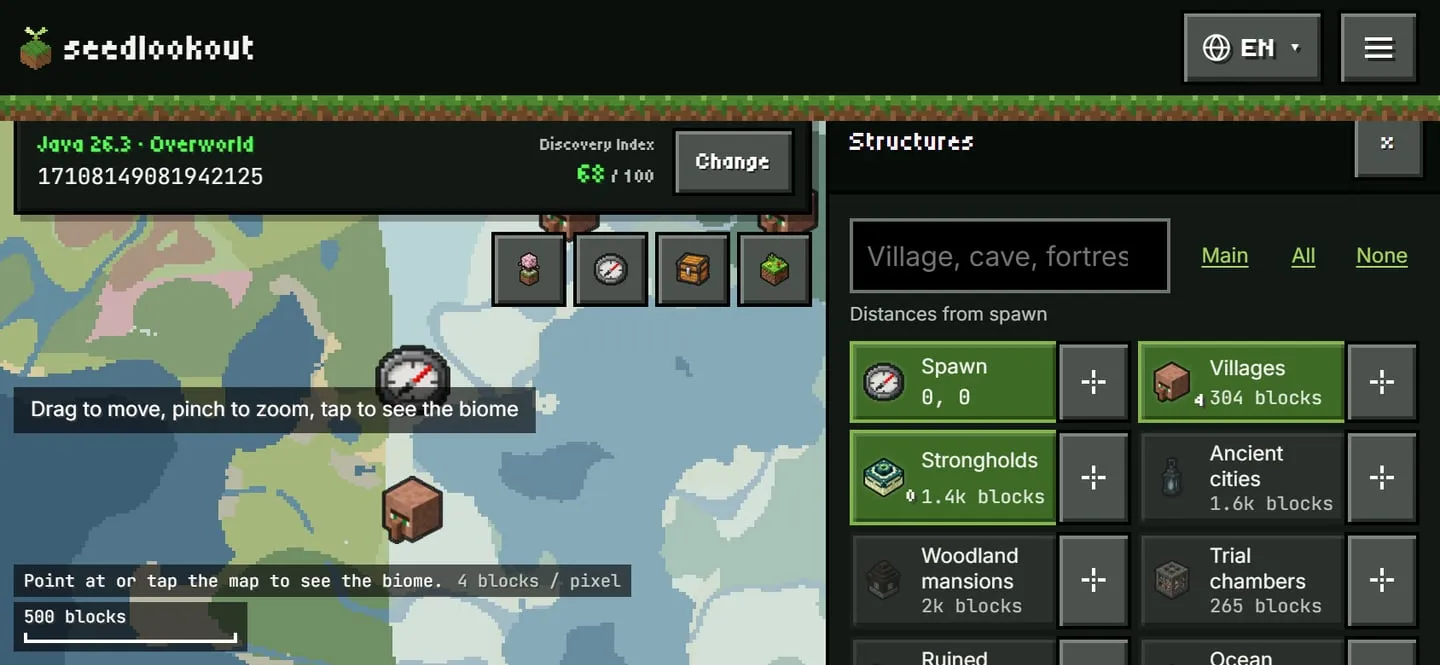
Short screens got their own fixes. When a short map wraps the tool buttons into extra columns, notices such as “Saved on this device” now sit above the buttons instead of covering them, and stay clear of the Change button. The form for a new marker also stops above an open notice, so Save marker stays reachable.
Find the nearest structure from where you are
The Structures panel puts every structure layer on one screen as tiles, with a filter field and Main, All and None shortcuts above them. Each tile turns its layer on or off and shows the distance to the nearest one. The button beside a tile, Go to nearest, frames that structure on the map.
Going to a place opens its location card, with Previous and Next buttons that step through the list it came from. You can also press N and P. The card gives the coordinates, an approximate surface height, the distance and the matching Nether coordinates. On a phone the sheet closes so you can see the map, and the card offers a Back link to the list. In the capture above, the seed map places the nearest village at 0, 304 (X, Z), 304 blocks from spawn in a snowy plains biome, the first of 20 in the list. That is a model prediction for Java 26.3.
Distances don’t have to start at spawn. Tap the Set player location button, then tap the map where you are, or type your X and Z in the Near me panel. The map marks the spot, and the tooltip, the Structures tiles and Go to nearest all measure from it. Your location is saved for each world on this device, and you can clear it from the map corner.
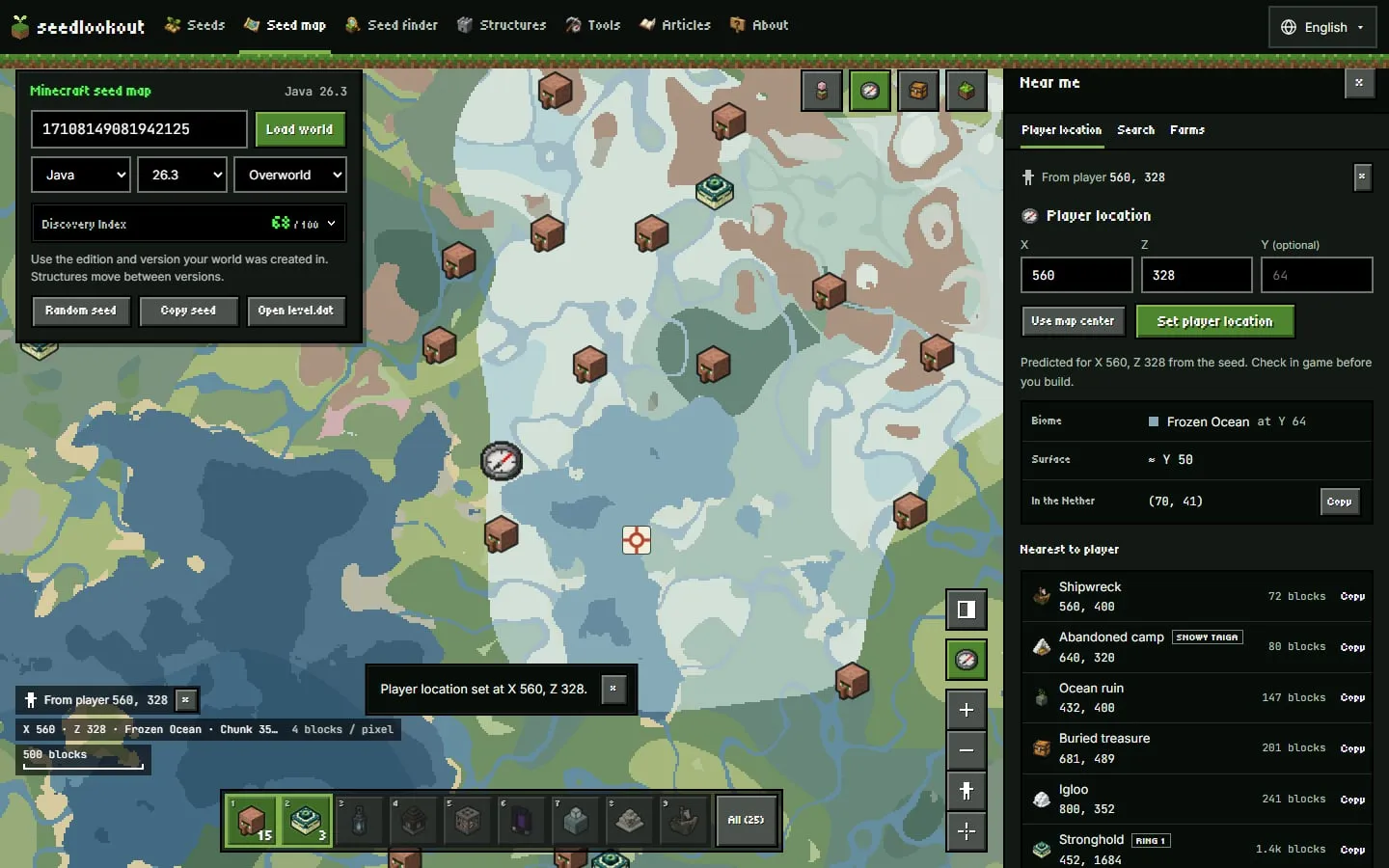
Near me also has a nearby search and a few farm helpers. The Biomes panel finds the nearest patch of a biome and widens its own search from 1,000 to 2,000 to 4,000 blocks, so there is no radius to pick. Below that, the biome mix nearby or in view is one list, and each row switches highlighting for that biome on or off.
Markers, map links and bookmarks
You can add a marker in four ways: right-click the map, press and hold it on a phone, press M for a marker at the map’s center, or choose Add marker at center in the Saved panel. A new marker appears on the map straight away. Pick one of eight named colors or a custom one.
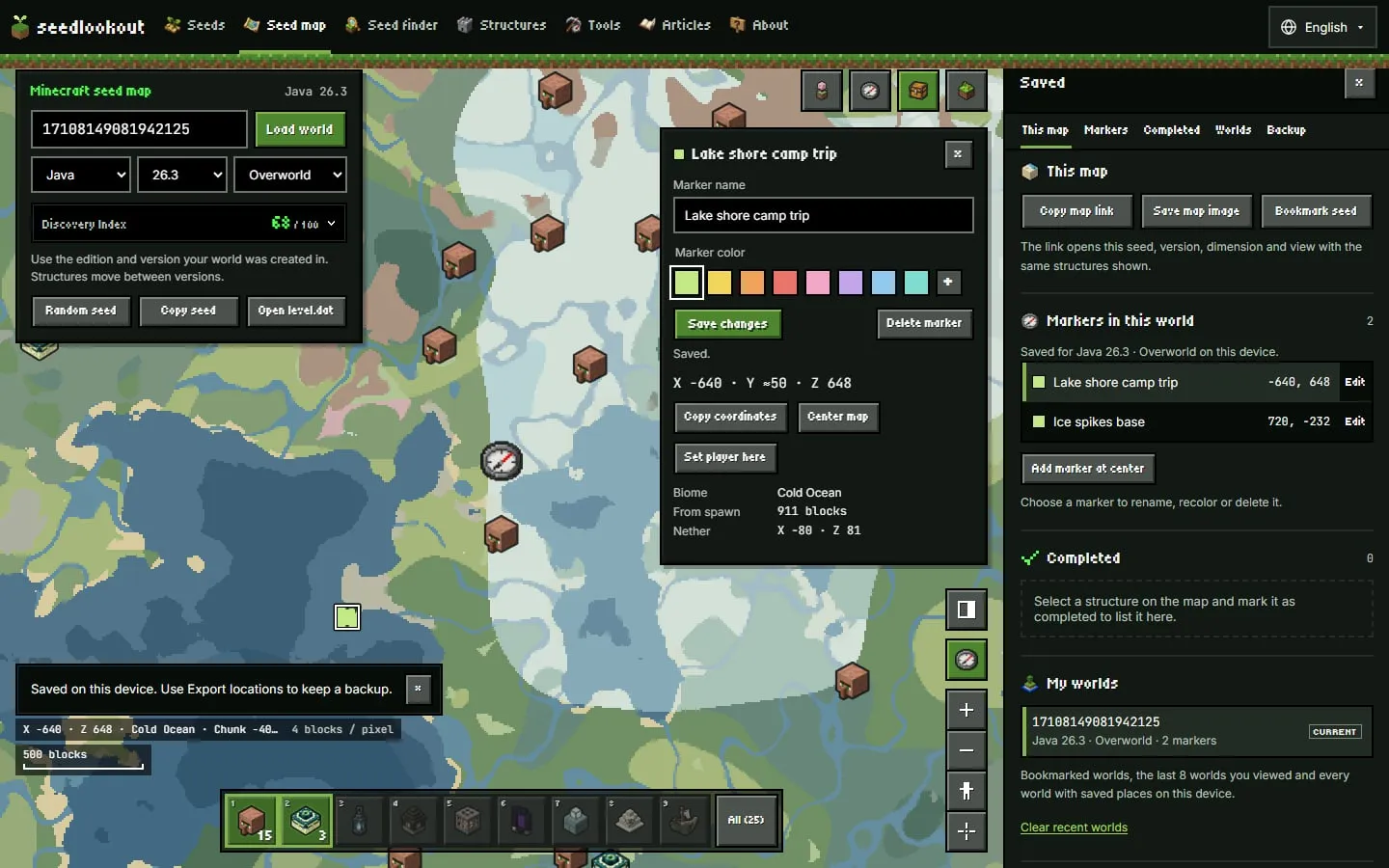
Each marker has its own editing view, in the Saved panel or on its location card. Edits keep a marker’s place in the list, and the newest markers come first. Deleting a marker shows a notice with an Undo button instead of asking you to confirm first.
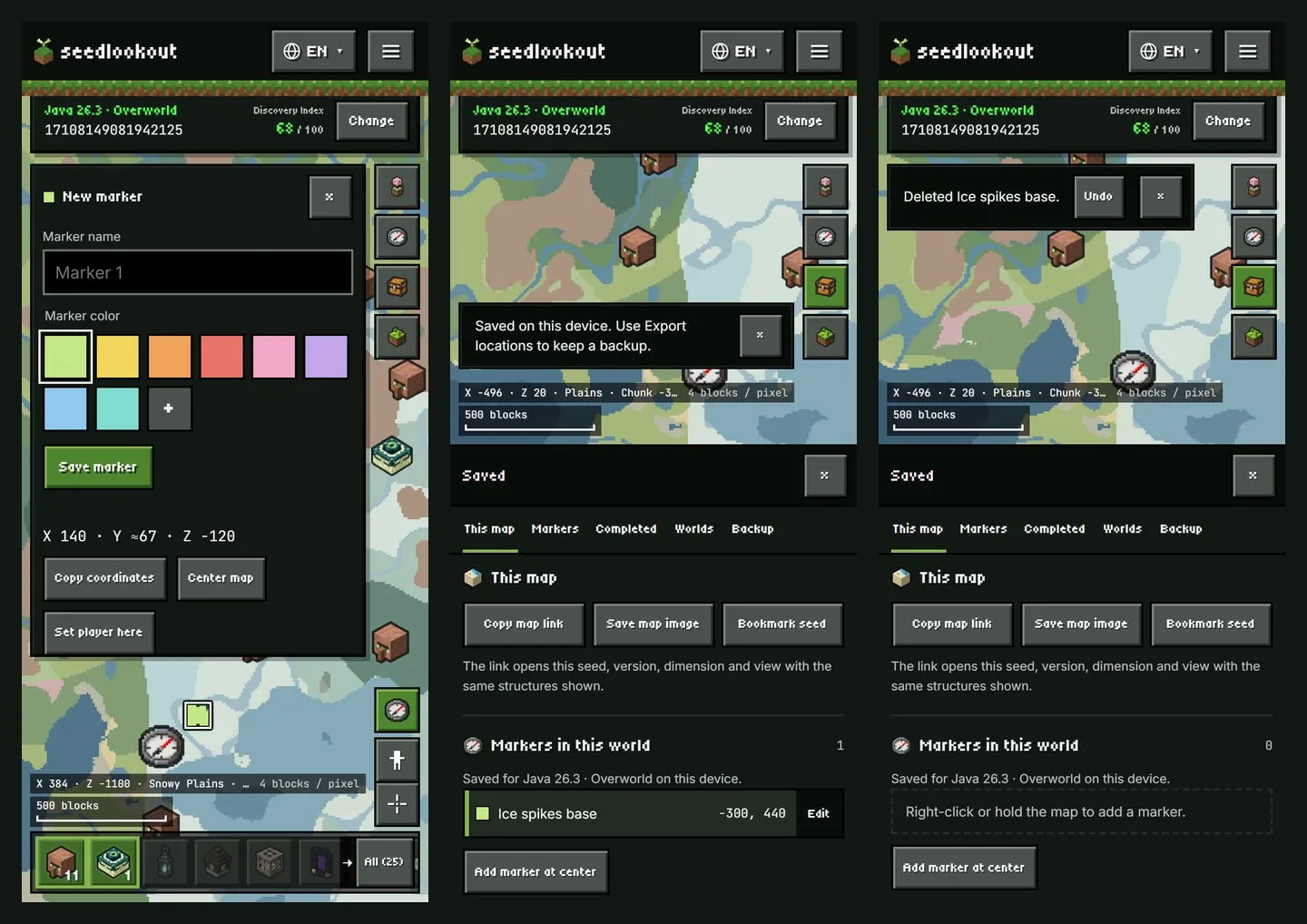
The Saved panel now leads with the map you’re looking at. Copy map link copies a link that opens the same seed, version, dimension and view with the same structures shown. Save map image downloads the current view, and Bookmark seed adds the world to My worlds. Each action confirms itself in a status line.
Markers and bookmarks are saved in your browser on this device. The Backup section exports them to a file you can import later.
A score on the world card
The world card also shows the seed’s Overworld Discovery Index: a model score for the variety and distance of biomes and structures within 2,048 blocks of spawn. It reads “Calculating…” until the map has drawn. Hover, click or tap the score to compare it with a sample of 1,024 random model seeds. On a phone, tap Change first to open the full card.
For seed 17108149081942125 in Java 26.3, the seed map scores 68 out of 100. That is higher than 86% of the sampled seeds and the same as 4% of them (876 lower, 46 the same and 102 higher).
The comparison is with that sample only, not a ranking among all Minecraft seeds. Samples exist only for Java 26.3 and Bedrock 26.50 with default generation; other versions and Large Biomes have no comparison. Designing a Minecraft seed experience index explains how the score and the samples work, and the seed experience calculator shows the full breakdown.
Smaller changes
- Open the seed map without a seed in the link and it reopens the last world you viewed on this device. The home page seed search remembers your edition, fills in your most recent world and opens a random seed when you leave the field empty.
- Seed pages lead with their screenshots. Java 26.3 seed pages also show a biome map with the checked locations as pins. A Copy seed and Open in the seed map row sits right under the title.
- The seed map’s buttons, panels and messages are translated into Traditional Chinese (Taiwan), Spanish, Brazilian Portuguese, German, French and Japanese.
- We fixed results that could come back from a previous world type or biome height when you stepped through a list, and distance lists that kept their old order after you moved the player location. We also fixed a crash when the map was cleared while you were dragging it, for example by switching dimension mid-drag.
- We redrew the map icons for mineshafts, ancient cities, buried treasure, bastions, End gateways and ruined portals so they are easier to recognize at map size.
Bedrock bastion markers
For Bedrock worlds only, the seed map and our finders decided whether a bastion remnant can generate by checking the biome at the wrong spot. They used the center of the bastion’s rotated start piece, which is the Java rule. Bastions can’t generate in basalt deltas, so near the edge of a basalt delta the map sometimes showed a bastion the game doesn’t generate, or missed one it does.
Bedrock now checks the biome at the corner of the bastion’s chunk. Bastion positions didn’t change; only which candidates are shown. Java bastions were never affected, and no other structure or map output changed.
We checked the Bedrock bastion results against Minecraft Bedrock 1.26.52 on six seeds. Around the origin, the map’s Bedrock 26.50 model had 833 candidate positions, and the game generates 688 bastions among them. Before the fix, the map and finders found 672 of those and listed 17 the game doesn’t generate. Now they find all 688 and list 3 extras, each right on a basalt-delta edge. For any other seed, bastion markers remain model predictions. The same change applies to the seed finder and the structure finders.
What’s next
These are plans, not features you can use yet:
- Accounts are built but switched off until we launch them, and there is no date yet. Once they’re on, you’ll be able to sign in with Discord or Google and keep bookmarked seeds and map views in your account as well as on your device. Bookmarking will still work on your device without signing in.
- We plan a 3D relief view that drapes the map’s biome colors over a height model, with structure markers at their surface height. It would show the shape of the land only, not caves, trees or the structures themselves, and heights outside Java 26.3 would be marked as approximate.
- We want to make the site easier to find your way around.
- We’re extending the same kind of comparison with the game to more Bedrock structures.
The About page lists the versions the seed map covers and what its predictions can and can’t tell you.
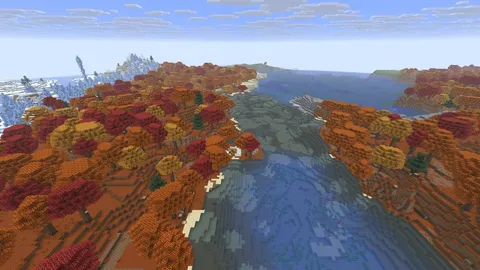
 Abandoned camp
 Ruined portal
 Trial chambers
 Dappled forest
 Snow
Snow Ocean
Ocean